 Yonder
The whole loop
From "where do I go?" to a route on real streets.
Yonder does the planning a walk usually needs by hand: a goal in, real routes on real streets out, tracked live and kept for next time.
How it works
Four stops, start to finish.
Set a goal
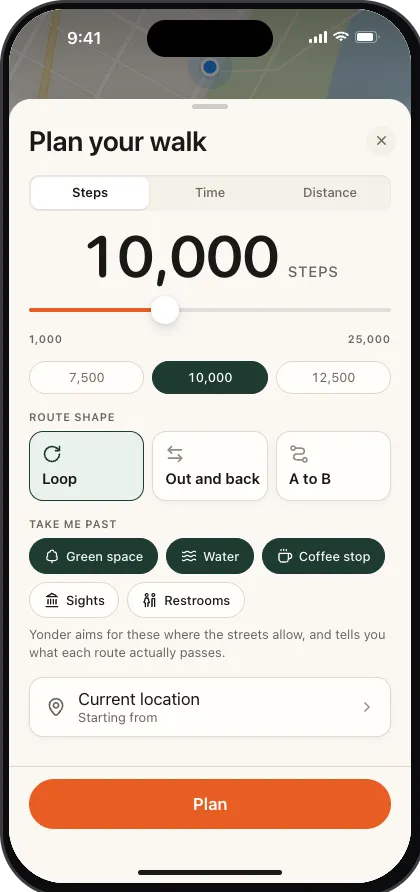
Steps, minutes or distance. A loop, an out-and-back, or A to B to an end point you pick. Start right where you're standing, or anywhere you drop a pin.
Generate
Up to three routes on real streets, each showing its steps, distance and time, tuned to land close to your goal. Not right? Tap Replan for another set.
Walk it
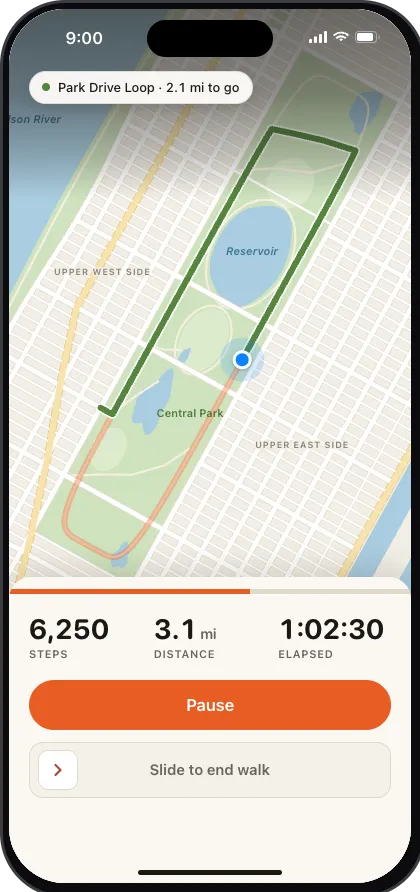
Turn-by-turn on the map, live steps from the pedometer, progress against your goal, and background location so the screen can sleep.
Keep it
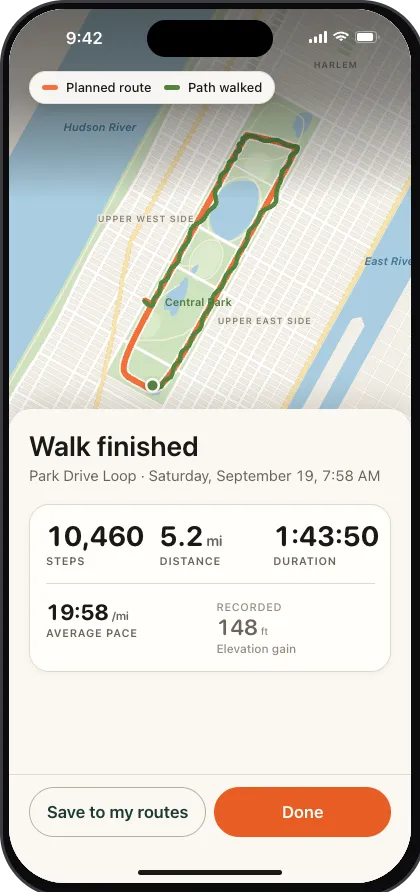
The walk lands in Progress and writes to Health as a workout. Routes worth repeating go to Saved.
Route preferences
Walk toward something.
Turn on any of five preferences and Yonder biases the route generation itself toward them, rather than filtering a route afterwards.
- Green space. Bias the route toward parks and green areas along the way, not just the shortest path between two points.
- Water. Route past a river, canal or waterfront where the street layout allows it.
- Coffee stop. Work a coffee stop into the route itself, rather than leaving you to find one afterwards.
- Sights. Bias toward points of interest worth walking past on the way.
- Restrooms. Route past a restroom for longer walks where that matters.
Tracking & keeping
Live on the walk, and on the Lock Screen.
- Replan for more. Not quite the route you wanted? Tap Replan for a fresh set without changing your goal, and keep going for as much variety as you want.
- Real pedometer steps. Counted with your iPhone's pedometer, not a distance estimate, plus elevation from the altimeter.
- Background recording. Background location keeps a walk tracked after you lock your phone, so the screen doesn't need to stay on.
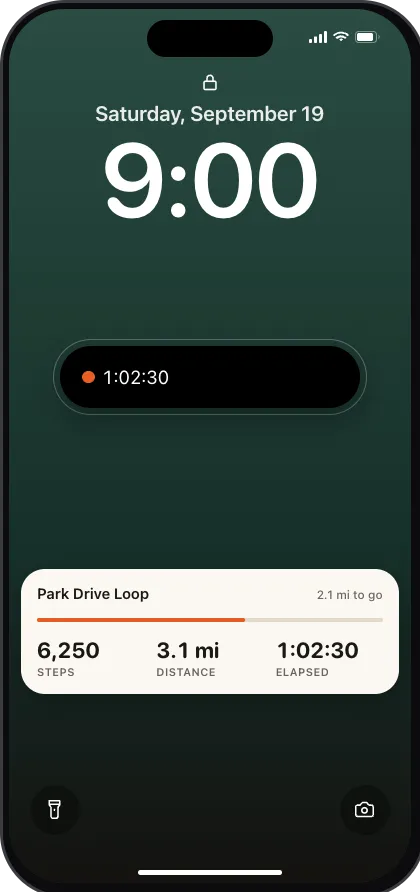
- Lock Screen Live Activity. Distance, steps and elapsed time on the Lock Screen and in the Dynamic Island, updating live without opening the app.
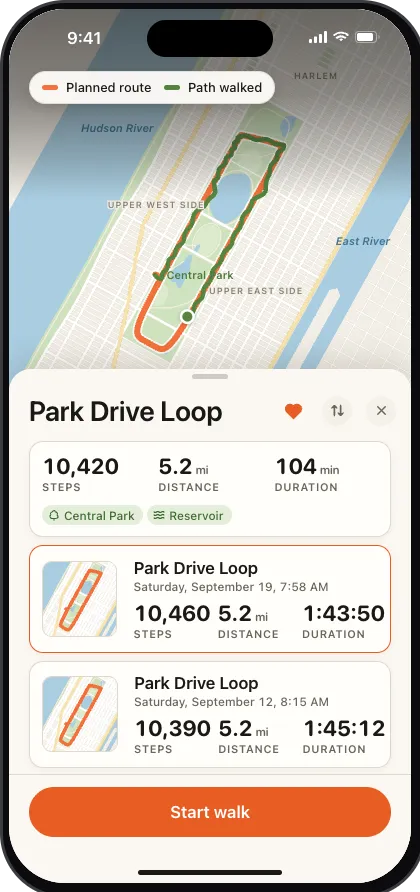
- Saved routes. Favourite a route once and walk it again anytime, without generating it from scratch.
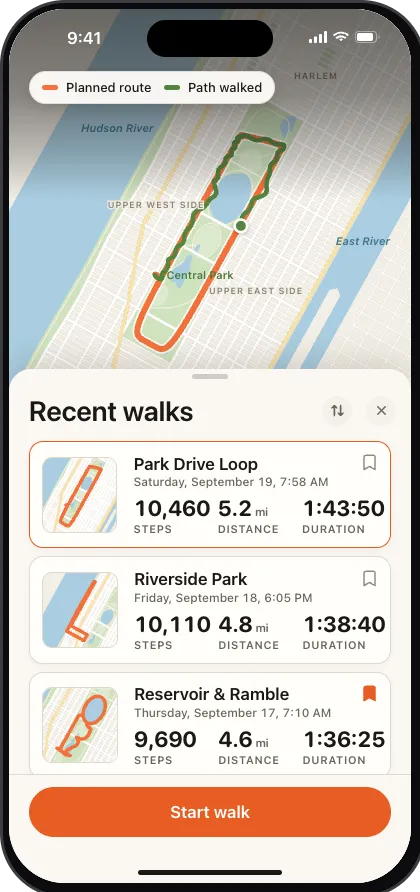
- Walk history. Every finished walk lands in your history, ready to retrace.
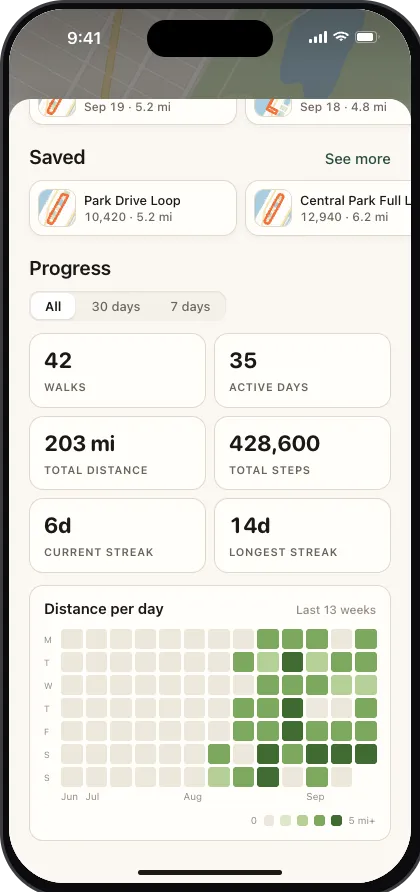
- Heatmap & streak. Home shows how far you've walked each day over the last 13 weeks, plus your current streak, at a glance.
After the walk
Every walk kept, every route ready to walk again.
A finished walk lands in your history with its steps, distance, pace and elevation. Favourite a route and it moves into Saved, and Home shows your recent walks, your saved routes, a 13-week heatmap and your streak.
Works with Health, not instead of it
Optional, and fully optional.
Connect Health and Yonder reads your stride length so step goals are accurate from your very first walk, and writes every finished walk back as a real workout, route included. Skip it, and everything else works exactly the same.